I’ll start to go over some of them in this thread, but let’s start with how to find a lot of the customization: click on either My Posts or My Messages on the side bar (or under the hamburger icon at the top of the phone interface). At the top you’ll have your profile summary, and a bunch of panes you can click into. On the phone interface you’ll not get the names of the panes, just the icons. If you go to the Preferences pane (Gear icon on the phone), that’ll give you a bunch of stuff to customize. I’ll dig in a little deeper to the options in replies here first.
3 Likes
So maybe this is a good thread to talk about the forum.
Can you change colors on the index page? I’d prefer something with a little more contrast for the “viewed” threads (medium gray) versus the “new” threads (red brown).
You can select a different Color Palette in the Preferences/Interface menu. I changed mine to Dark (had to turn off Auto) and I like that much better than the default.
2 Likes
thanks!
There are some great features coming that are still under development. In the left pane there are several clickable links:
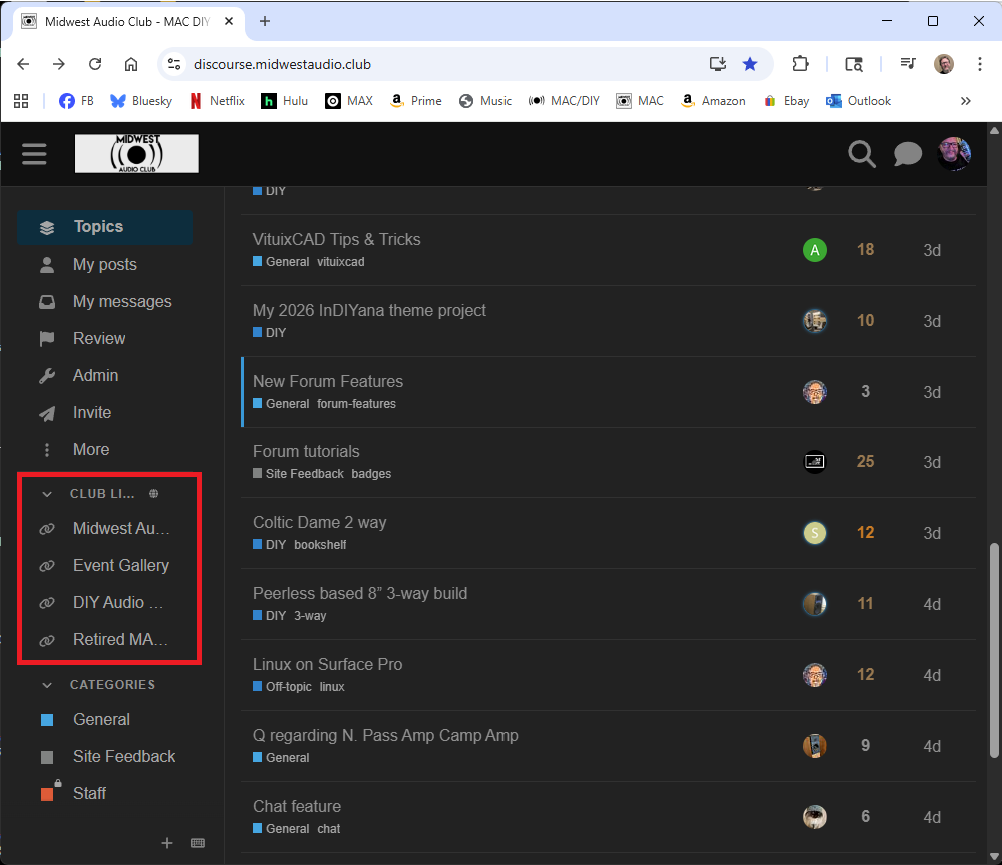
Stay tuned as we flesh those pages out, right now they are basically in “preview” mode.
3 Likes
In the “event gallery” link (side pane on real computers and via the ‘hamburger’ on mobile) we have added quite a few photo galleries from IowaDIY events past.
1 Like
Ya, I saw that. Looks very professional. Also, nice to see the revised and updated web site finally coming on-line. I’d image that this is Bryan, Jason, and JR working very hard in the background, as usual. 
The revamped site looks good. Nitpicking, but can we have the years in sequence for the Event Gallery?
Is the Wiki still in-process? I can’t log in with my Forum login and there is no option to create a new account specifically for the Wiki. I’m assuming it just not ready to launch yet, but thought I’d ask.
Correct, not ready to go live just yet.
1 Like
Yeah, I want to flesh it out a bit more before I let others at it. When it’s ready shortly: You’ll join the Wiki Editor group on this forum, and then I’ll create an account for you on the wiki.
The gallery script doesn’t do any sorting, but I think I can fix that. The software looks pretty easy to hack. I also want to change the template to have links to all the other MAC sites.
No hurry, I was just playing around and wanted to make sure it wasn’t user error on my end. Thanks for making this so nice for us! 
For people still using Bagby’s tools we are now hosting them with the generous permission of Mr. Laub.
2 Likes
Thanks Charlie and MAC. JR, how do we get to it - the link just takes us to the Wiki page, but no further navigation.
Go to the Wiki page, then software. Click any of the software titles (blue text on my phone, I’m in dark theme) and that takes you to more description with download links at the bottom.
1 Like
Thanks, I see it now - links seem to work.
While the wiki is growing slowly, I’ve been able to clean up and transfer more galleries over. I’ve added Indiyana, DakotaDIY, and Meniscus event galleries to the collection. I think that leaves me ChicagoDIY, KentuckyDIY, and a couple Axpona years.
6 Likes
@CharlieLaub Hi Charlie, didn’t you also had a few of your links regarding active XO and FIR filters etc on your website? Are those going to be hosted on MAC site also? If not, can you please put a link as to where they are. Do not want to loose sight of useful resources!
My webhost is a US based company and managing it and paying for it from the EU is a PITA, so I am shutting it down. My domain name expires next month but it currently still active so you can go and retrieve anything you need until then. The hosting ends in Jan I think.